


















Hoverboard Balancing: Beginner Tips for Stable Riding
Hoverboard Balancing: Beginner Tips for Stable Riding
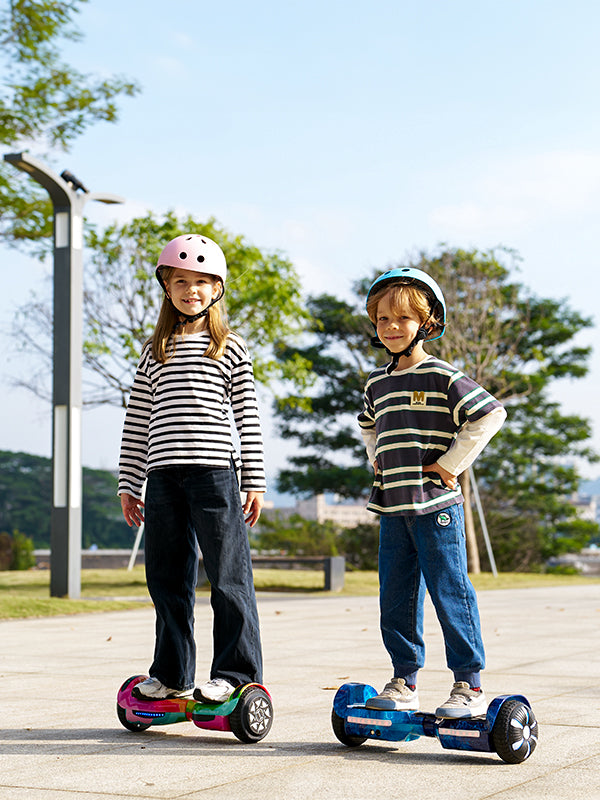
Hoverboard balancing is the most important skill every beginner needs to learn before riding with confidence. While hoverboards are designed to be self-balancing, proper posture, weight distribution, and controlled movements play a major role in staying stable and safe. In this guide, you’ll learn how hoverboard balancing works, common mistakes to avoid, and practical tips to help you ride smoothly. With the right approach and a little practice, mastering hoverboard balancing becomes easier and more enjoyable.
What Is Hoverboard Balancing and Why It Matters
Hoverboard balancing refers to the ability to maintain stable control while standing, moving, and turning on a hoverboard by evenly distributing your body weight. Unlike traditional scooters, hoverboards rely entirely on your balance and posture to function correctly. Mastering hoverboard balancing allows the built-in sensors to accurately respond to your movements, resulting in smoother acceleration, controlled braking, and safer turns.
Proper hoverboard balancing is essential for both beginners and experienced riders. When your weight is centred and your posture is correct, the hoverboard remains level and predictable. Poor hoverboard balancing, on the other hand, can cause sudden jolts, unwanted speed changes, or loss of control. This is one of the most common reasons new riders experience falls or feel uncomfortable during their first rides.
Safety is another key reason why hoverboard balancing matters. Maintaining balance reduces strain on your ankles, knees, and core muscles, lowering the risk of injury. It also helps you react quickly to changes in speed or direction, especially in everyday riding situations. With good hoverboard balancing, you can ride more confidently, conserve energy, and enjoy a smoother, more controlled experience overall.
By understanding what hoverboard balancing is and why it plays such a critical role, you set a strong foundation for learning advanced skills. Once balance becomes second nature, steering, stopping, and manoeuvring your hoverboard will feel more natural and effortless.
How Hoverboard Balancing Works
Hoverboard balancing relies on smart technology and your body movements working together. To make it easier to understand, here’s how each part contributes to stable and smooth riding:
-
Gyroscopic sensors and accelerometers
These sensors detect tilt, speed, and direction in real time. They help the hoverboard adjust instantly to keep you balanced and upright. -
Pressure-sensitive footpads
Each footpad measures how much weight you apply. Even pressure keeps the hoverboard stable, while slight changes in pressure tell it to move forward, slow down, or reverse. -
Weight shifting for control
Leaning forward gently moves the hoverboard ahead, and leaning back helps you stop. Small, controlled weight shifts are essential for good hoverboard balancing. -
Correct posture and centre of gravity
Standing upright with slightly bent knees keeps your balance steady. Relaxed posture allows the hoverboard to respond smoothly to your movements. -
Automatic micro-adjustments
The hoverboard continuously makes tiny corrections to maintain balance. As you practise, your body adapts, making hoverboard balancing feel more natural over time.
Understanding these basics makes hoverboard balancing easier to learn, safer to practise, and more comfortable as your confidence grows.
Preparing for Hoverboard Balancing Practice
Getting ready properly makes hoverboard balancing easier, safer, and more comfortable. Use the checklist below before you start practising:
-
Choose a safe practice area
Pick a flat, smooth, and open space such as an indoor room, driveway, or empty car park. Avoid slopes, wet surfaces, gravel, and uneven ground, as these can affect hoverboard balancing. -
Wear protective safety gear
Always use a helmet, knee pads, elbow pads, and wrist guards. Comfortable shoes with flat soles and good grip help improve hoverboard balancing and foot control. -
Check the hoverboard before riding
Make sure the hoverboard is fully charged and placed on level ground. Check that both footpads are clean and dry so the sensors can respond accurately. -
Warm up your body
Light stretching of your legs, ankles, and core can improve flexibility and balance. This helps your body respond more smoothly during hoverboard balancing practice. -
Adopt the right mindset
Stay relaxed and patient. Avoid rushing or making sudden movements, as calm and controlled actions lead to better hoverboard balancing.
Preparing properly sets a strong foundation and makes learning hoverboard balancing faster, safer, and more enjoyable.
Step-by-Step Guide to Hoverboard Balancing
Learning hoverboard balancing is easiest when you break the process into clear, manageable steps. Each stage builds your confidence and control, helping your body adapt naturally to the hoverboard’s movements. Follow these steps in order and practise each one until it feels comfortable.
Step 1: Mount the Hoverboard Correctly
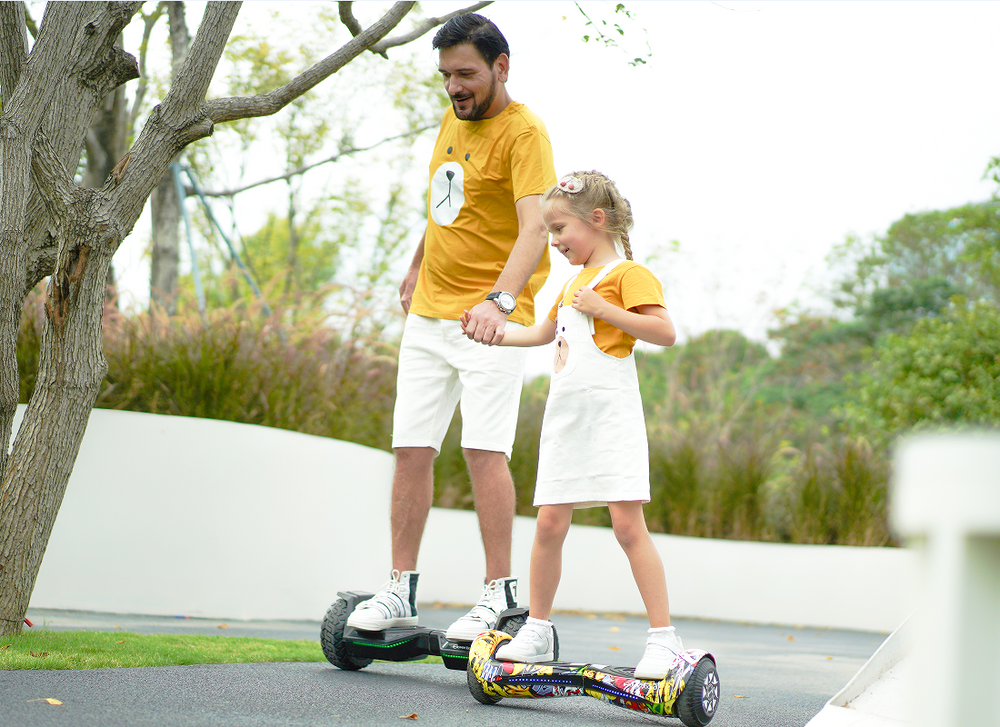
Place the hoverboard on a flat, level surface and turn it on. Stand behind it and place one foot firmly in the centre of one footpad, keeping your weight balanced. Once the hoverboard feels stable, step onto the second footpad smoothly and confidently. Avoid hesitating, as uneven weight can disrupt hoverboard balancing. Keep your knees slightly bent to absorb small movements.
Step 2: Find Your Balance and Stay Still
Before moving, practise standing still on the hoverboard. Distribute your weight evenly across both feet and relax your legs. Focus on maintaining steady hoverboard balancing without leaning forward or backward. This step helps you understand how the hoverboard responds to your body position.
Step 3: Adopt the Correct Riding Posture
Stand upright with your shoulders relaxed and your head facing forward. Keep your feet shoulder-width apart and flat on the footpads. Slightly bend your knees to maintain flexibility and control. Good posture plays a major role in maintaining consistent hoverboard balancing.
Step 4: Make Small Weight Adjustments
Use gentle movements from your ankles and hips to stay centred. If you feel yourself leaning too far forward or backward, slowly shift your weight in the opposite direction. Avoid sudden or exaggerated movements, as smooth adjustments are key to stable hoverboard balancing.
Step 5: Practise Moving Forward and Backward
Lean forward slightly to move ahead, keeping your upper body straight and controlled. To slow down or move backward, gently lean back. Focus on smooth transitions rather than speed. Practising these movements helps build muscle memory for effective hoverboard balancing.
Step 6: Learn Basic Turning Techniques
To turn, apply gentle pressure with your toes on one foot while easing pressure on the other. Start with wide, slow turns and gradually tighten them as your balance improves. Keep your upper body stable and let your feet guide the direction, which supports better hoverboard balancing.
Step 7: Dismount Safely
Come to a complete stop before stepping off. Shift your weight to one foot and step back with the other foot in a single, confident motion. Stepping off quickly and decisively helps maintain control and prevents tipping.
By following this step-by-step approach, hoverboard balancing becomes easier and more intuitive with practice. Take your time, repeat each step as needed, and build confidence gradually for smooth, controlled riding.
Common Hoverboard Balancing Mistakes and How to Fix Them
Hoverboard balancing becomes much easier once you know what mistakes to avoid. Below are the most common issues beginners face, along with simple fixes to help you improve quickly.
-
Leaning too far forward or backward
Problem: Causes sudden speed changes and loss of control.
Fix: Make small, gentle weight shifts and keep your upper body upright instead of bending at the waist. -
Stiff posture or locked knees
Problem: Reduces shock absorption and leads to wobbling.
Fix: Relax your body and keep your knees slightly bent to maintain smooth hoverboard balancing. -
Uneven weight distribution
Problem: Makes the hoverboard tilt or turn unexpectedly.
Fix: Spread your weight evenly across both footpads and keep your feet flat and centred. -
Looking down at your feet
Problem: Shifts your centre of gravity and affects balance.
Fix: Look straight ahead to naturally improve posture and hoverboard balancing stability. -
Rushing the learning process
Problem: Leads to repeated falls and frustration.
Fix: Practise basic hoverboard balancing on flat ground before attempting turns or higher speeds.
Avoiding these common mistakes will help you gain better control, build confidence, and master hoverboard balancing more efficiently.
iHoverboard Comparison Table
|
Feature |
||||
|
Sale Price |
£78.99 |
£119.99 |
£165.99 |
£188.99 |
|
Regular Price |
£159.99 |
£199.99 |
£309.99 |
£319.99 |
|
Product Type |
Self-Balancing Hoverboard |
Self-Balancing Hoverboard |
Off-Road Hoverboard |
Off-Road Hoverboard (Advanced) |
|
Wheel Size |
6.5" |
6.5" |
8.5" |
8.5" |
|
Tire Type |
Solid Rubber |
Solid Rubber |
Solid Rubber (All-Terrain) |
Solid Rubber (All-Terrain) |
|
Motor Power |
Dual 350W |
500W (Dual 250W) |
800W (Dual 400W) |
800W (Dual 400W) |
|
Max Speed |
6.8 mph |
Up to 7.5 mph |
Up to 9.3 mph |
Up to 9.3 mph |
|
Speed Modes |
Single Mode |
3 Modes (Beginner/Skilled/Master) |
3 Modes (8/10/12 km/h) |
2 Modes (10/15 km/h) |
|
Range |
Up to 6.2 miles |
Up to 7.5 miles |
Up to 12.4 miles |
Up to 12.4 miles |
|
Battery |
25.9V 2.6Ah |
36V 2.0Ah |
36V 4.0Ah |
36V 4.0Ah |
|
Charging Time |
5–6 hrs |
Not specified |
4–5 hrs |
4–5 hrs |
|
Climbing Angle |
— |
— |
Up to 10° |
Up to 10° |
|
Bluetooth Speaker |
Yes |
Yes |
Yes |
Yes |
|
LED Lights |
Front + Ambient LEDs |
LED Wheels + Body Lights |
LED Wheels + Front & Rear Lights |
LED Wheels + Front & Rear Lights |
|
App Control |
No |
No |
No |
Yes |
|
Max Rider Weight |
119 lbs |
220 lbs |
220 lbs |
220 lbs |
|
Recommended Age |
Ages 3+ |
Ages 6+ |
Ages 6+ |
Ages 6+ |
|
Item Weight |
10.14 lbs |
12.6 lbs |
14.3 lbs |
14.3 lbs |
|
Dimensions |
20.1"×7.1"×7.1" |
23.6"×7.3"×7.5" |
27.7"×8.3"×9.5" |
27.7"×8.3"×9.5" |
|
Water Resistance |
— |
Yes |
Yes |
Yes |
|
Go-Kart Compatibility |
❌ No |
✅ K3 |
✅ K3 |
✅ K3 |
|
Warranty |
12 Months |
12 Months |
12 Months |
12 Months |
|
Best For |
Young kids & beginners |
Older kids |
Off-road riding |
Off-road + app control |
Conclusion
Mastering hoverboard balancing is the key to riding safely, confidently, and comfortably. By understanding how hoverboard balancing works, preparing properly before practice, following a step-by-step learning approach, and avoiding common mistakes, beginners can build a strong foundation for long-term success. Balance improves with patience, consistent practice, and controlled movements rather than speed or force.
As your confidence grows, hoverboard balancing will begin to feel natural, allowing you to focus on smoother turns, better control, and an overall more enjoyable riding experience. Take your time, practise regularly on safe surfaces, and always prioritise proper posture and safety. With the right approach, hoverboard balancing becomes an easy and rewarding skill that enhances every ride.
FAQs
How do you balance a hoverboard?
You balance a hoverboard by standing with your feet evenly placed on both footpads and keeping your weight centred. Slightly bend your knees, keep your upper body upright, and make small, controlled weight shifts using your ankles and hips. Avoid sudden movements, as smooth adjustments are essential for stable hoverboard balancing.
Is a hoverboard good for balance?
Yes, riding a hoverboard can help improve balance over time. Hoverboard balancing engages your core muscles, legs, and ankles, encouraging better coordination and body control. With regular practice, many riders notice improved stability and confidence, both on and off the hoverboard.
Are all hoverboards self-balancing?
Most modern hoverboards are designed with self-balancing technology, using sensors to help keep the board level. However, hoverboard balancing still depends on the rider’s posture and weight distribution. The self-balancing system assists with stability but does not replace proper riding technique.
Why is my hoverboard shaking violently?
A hoverboard may shake violently if the weight is unevenly distributed, the footpads are not calibrated correctly, or the surface is uneven. Low battery levels or sensor issues can also affect hoverboard balancing. Make sure the hoverboard is fully charged, placed on a flat surface, and that you are standing with even pressure on both footpads before riding.





Still, need help? Contact Us: support@ihoverboard.com
What's the option? Check out the option now!
Leave us a message