
















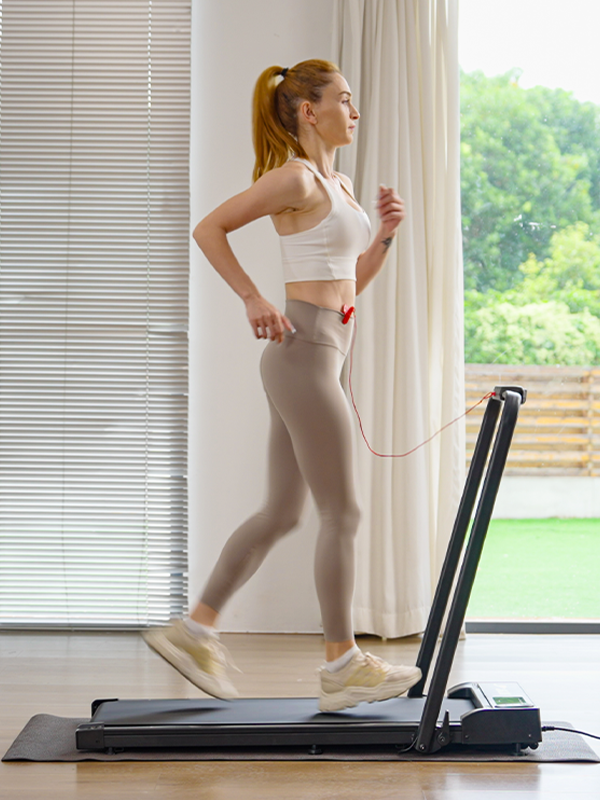





![How to Adjust the Belt on a Treadmill [Step-by-Step Guide]](http://www.ihoverboard.co.uk/cdn/shop/articles/JT31_action_5_d3776873-6a81-4e18-ae34-9ed612c14a9c_{width}x.jpg?v=1773130804)
How to Adjust the Belt on a Treadmill [Step-by-Step Guide]
How to Adjust the Belt on a Treadmill [Step-by-Step Guide]
Keeping your treadmill running smoothly and safely starts with knowing how to adjust the belt on a treadmill. Over time, the belt can become loose, too tight, or misaligned, causing slipping, jerking, or uneven wear. In this step-by-step guide, you will learn how to tighten, loosen, and align your treadmill belt correctly. By following these simple adjustments, you can enjoy a safer, smoother, and more comfortable workout every time.
Why You May Need to Adjust the Belt on a Treadmill
Understanding how to adjust the belt on a treadmill starts with knowing why adjustments are necessary in the first place. Over time, regular use, changes in user weight, and natural belt stretching can cause the treadmill belt to lose its ideal position and tension. When this happens, performance and safety can be affected.
One of the most common reasons you may need to adjust the belt on a treadmill is belt slipping. If the belt hesitates, skips, or suddenly slows down while walking or running, it usually means the belt tension is no longer balanced. This can disrupt your workout rhythm and increase the risk of losing balance.
Another reason to adjust the treadmill belt is misalignment. A belt that gradually shifts to the left or right side of the running deck can rub against the frame, causing uneven wear and potential damage to internal components. Learning how to adjust the belt on a treadmill helps keep it centered and ensures smooth, quiet operation.
Finally, improper belt adjustment can lead to premature wear of both the belt and the deck. A belt that is too tight puts unnecessary strain on the motor, while a loose belt increases friction and reduces efficiency. Regularly checking and adjusting the belt on a treadmill helps extend the lifespan of your machine and ensures a safer, more comfortable workout experience.
Signs Your Treadmill Belt Needs Adjustment
If you want to know how to adjust the belt on a treadmill, the first step is recognising the warning signs. A poorly adjusted belt can affect safety, comfort, and overall performance. Below are the most common signs to look out for.
Belt Slips or Skips While Using the Treadmill
-
The belt slows down suddenly during walking or running
-
You feel a brief loss of traction under your feet
-
This usually means the belt tension is too loose
Treadmill Belt Is Not Centred
-
The belt drifts to the left or right side of the deck
-
One side gap is wider than the other
-
Misalignment can cause friction and uneven wear
Uneven or Uncomfortable Movement
-
The belt feels tighter in some areas than others
-
Movement is not smooth or consistent
-
This often happens as the belt stretches over time
Unusual Noises During Operation
-
Squeaking, rubbing, or grinding sounds
-
Noise increases as speed changes
-
Often linked to improper belt alignment or tension
Visible Belt Wear or Damage
-
Frayed edges or worn belt surfaces
-
Marks along the sides of the deck
-
Indicates the need to adjust the belt on a treadmill promptly
Identifying these signs early makes it easier to understand how to adjust the belt on a treadmill correctly, helping to keep your workouts safe and your machine in good condition.
Safety Steps Before Adjusting a Treadmill Belt
Before learning how to adjust the belt on a treadmill, it is essential to take the proper safety precautions. Skipping these steps can increase the risk of injury or cause damage to the treadmill. Preparing the machine correctly ensures the adjustment process is safe, accurate, and effective.
Turn Off and Unplug the Treadmill
-
Always switch off the treadmill completely
-
Disconnect it from the power source to prevent accidental start-up
-
Never attempt to adjust the belt while the treadmill is plugged in
Allow the Treadmill to Cool Down
-
If the treadmill was recently in use, wait a few minutes
-
A warm motor or belt can affect tension accuracy
-
Cooling down reduces the risk of burns or incorrect adjustments
Use the Correct Tools
-
Most treadmills require an Allen key or hex wrench
-
Using the wrong tool can strip the adjustment screws
-
Refer to the treadmill manual if you are unsure about tool size
Wear Proper Safety Gear
-
Use gloves if available to improve grip
-
Avoid loose clothing that could catch on moving parts
-
Make sure the area around the treadmill is clear
Make Small, Even Adjustments
-
Adjust both sides of the rear roller evenly
-
Turn screws in small increments, usually a quarter turn at a time
-
This prevents over-tightening and belt misalignment
Following these safety steps makes it much easier to understand how to adjust the belt on a treadmill correctly, helping you achieve proper belt tension and alignment without unnecessary risks.
How to Tighten the Belt on a Treadmill
Knowing how to adjust the belt on a treadmill starts with understanding when tightening is necessary. A loose treadmill belt can cause slipping, jerking movements, or an unsafe workout experience. If the belt hesitates when you walk or run, tightening it correctly will restore smooth and stable performance.
When Should You Tighten a Treadmill Belt?
You should tighten the belt if:
-
The belt slips or pauses when your foot lands
-
The treadmill feels unstable during use
-
The belt lifts more than 3 inches from the deck when pulled at the centre
These signs clearly indicate that learning how to adjust the belt on a treadmill by tightening it is essential for safety and comfort.
Step-by-Step Guide to Tighten the Belt on a Treadmill
Step 1: Turn Off and Unplug the Treadmill
Before making any adjustments, ensure the treadmill is completely powered off and disconnected from the power source. This is a critical safety step when adjusting the belt on a treadmill.
Step 2: Locate the Rear Roller Adjustment Screws
Move to the back of the treadmill and find the two belt adjustment screws, usually located on the left and right sides of the rear roller. These screws control belt tension and alignment.
Step 3: Tighten Both Screws Evenly
Using the correct Allen key, turn both screws clockwise in small increments—about a quarter turn at a time.
Always adjust both sides equally to prevent misalignment while learning how to adjust the belt on a treadmill properly.
Step 4: Check the Belt Tension
After each adjustment, check the tension by lifting the belt at the centre of the running deck.
-
The belt should lift approximately 2–3 inches
-
If it lifts more than this, repeat the tightening process gradually
Avoid overtightening, as this can strain the motor and rollers.
Step 5: Test the Treadmill at Low Speed
Once the belt feels secure, plug the treadmill back in and run it at a slow speed. Walk on it briefly to confirm the belt no longer slips and moves smoothly underfoot.
Important Tips When Tightening a Treadmill Belt
-
Make small adjustments only—never full turns at once
-
Keep left and right screw turns equal
-
Stop tightening if the belt feels stiff or difficult to move
-
Recheck alignment after adjusting tension
Correctly tightening the belt is a vital part of how to adjust the belt on a treadmill, ensuring safe workouts, better performance, and reduced wear over time.
How to Loosen the Belt on a Treadmill
Understanding how to adjust the belt on a treadmill is just as important when the belt is too tight as when it is too loose. An overly tight treadmill belt can strain the motor, increase friction, and cause unnecessary wear on internal components. Loosening the belt correctly helps maintain smooth operation and extends the life of your treadmill.
When Should You Loosen a Treadmill Belt?
You may need to loosen the belt if you notice:
-
The belt feels stiff or difficult to turn by hand
-
Excessive noise or resistance during use
-
The belt lifts less than 2 inches from the deck when pulled at the centre
-
The treadmill motor feels overworked or overheats
These are clear indicators that learning how to adjust the belt on a treadmill by loosening it is necessary.
Step-by-Step Guide to Loosen the Belt on a Treadmill
Step 1: Power Off and Unplug the Treadmill
Always switch off the treadmill and disconnect it from the power source before making any adjustments. This ensures safety while performing belt adjustments.
Step 2: Locate the Rear Roller Adjustment Screws
Stand at the back of the treadmill and identify the two adjustment screws positioned on either side of the rear roller. These screws control the belt’s tension.
Step 3: Loosen Both Screws Gradually and Evenly
Using an Allen key, turn both screws anti-clockwise by a quarter turn at a time.
It is essential to loosen both sides equally to avoid misalignment while learning how to adjust the belt on a treadmill correctly.
Step 4: Check the Belt Tension
After each adjustment, lift the belt at the centre of the running deck.
-
The ideal lift height is approximately 2–3 inches
-
If the belt still feels too tight, repeat the loosening process in small increments
Avoid loosening the belt too much, as this may cause slipping during use.
Step 5: Inspect Belt Alignment
Once the correct tension is achieved, visually check that the belt remains centred on the deck. If the belt has shifted, minor alignment adjustments may be needed.
Step 6: Test the Treadmill at a Low Speed
Reconnect the power and run the treadmill at its lowest speed. Walk on the belt briefly to ensure smooth movement without resistance or slipping.
Helpful Tips When Loosening a Treadmill Belt
-
Always make small, controlled adjustments
-
Keep screw turns even on both sides
-
Stop if the belt begins to slip excessively
-
Recheck tension after a short test walk
Properly loosening the belt is a key step in how to adjust the belt on a treadmill, helping reduce mechanical strain, improve performance, and ensure a safer, more comfortable workout experience.
How to Align the Belt on a Treadmill
Correct belt alignment is a crucial part of how to adjust the belt on a treadmill. A misaligned belt can drift to one side, rub against the frame, or wear unevenly over time. Learning how to align the belt on a treadmill properly helps maintain smooth operation, improves safety, and prevents long-term damage to the running deck and rollers.
Signs Your Treadmill Belt Needs Alignment
You may need to align the belt if:
-
The belt consistently moves to the left or right during use
-
One edge of the belt rubs against the side rails
-
You hear scraping or rubbing noises
-
The belt does not stay centred even after tension adjustments
These issues indicate that alignment correction is required as part of how to adjust the belt on a treadmill.
Step-by-Step Guide to Align the Belt on a Treadmill
Step 1: Turn Off and Unplug the Treadmill
Before adjusting alignment, ensure the treadmill is completely powered off and unplugged. This prevents accidental movement while working near the rear roller.
Step 2: Identify Which Side the Belt Is Drifting Toward
Visually inspect the running belt to see whether it is closer to the left or right side of the deck.
If the belt edges are covered, you may need to remove the side guards or carefully check underneath the deck to see the belt’s position.
Step 3: Locate the Rear Roller Adjustment Screws
At the back of the treadmill, find the two adjustment screws connected to the rear roller. These screws control both belt tension and alignment.
Step 4: Adjust the Screw on the Same Side as the Drift
Turn the adjustment screw on the side the belt is drifting toward by a quarter turn at a time.
For example:
-
If the belt moves to the left, tighten the left screw slightly
-
If the belt moves to the right, tighten the right screw slightly
This adjustment helps guide the belt back toward the centre and is a key step in learning how to adjust the belt on a treadmill correctly.
Step 5: Manually Rotate the Belt
After each adjustment, manually rotate the belt several full turns. This allows the belt to settle into its new position and makes it easier to assess alignment changes.
Step 6: Repeat Adjustments Until the Belt Is Centred
Continue making small quarter-turn adjustments and rotating the belt until it runs evenly in the centre of the deck. Avoid large turns, as over-adjustment can cause the belt to shift in the opposite direction.
Step 7: Check Belt Tension
Once the belt is centred, lift it at the middle of the deck to ensure proper tension. The belt should lift approximately 2–3 inches.
If needed, make minor tightening or loosening adjustments while maintaining alignment.
Step 8: Test the Treadmill at Low Speed
Reconnect the power and run the treadmill at its lowest speed without stepping on it. Observe whether the belt stays centred.
Then walk on the treadmill briefly to confirm that the belt remains aligned under load.
Important Tips for Aligning a Treadmill Belt
-
Always adjust in small increments
-
Never adjust both sides at once for alignment correction
-
Allow the belt time to settle after each adjustment
-
Recheck alignment after tightening or loosening the belt
Correct alignment is a vital part of how to adjust the belt on a treadmill, ensuring safer workouts, smoother performance, and reduced wear on your treadmill over time.
Conclusion
Knowing how to adjust the belt on a treadmill is essential for maintaining a safe, smooth, and efficient workout. Whether your belt needs tightening, loosening, or realignment, following the proper step-by-step adjustments ensures the treadmill operates correctly and prevents unnecessary wear on the deck, rollers, and motor.
Regularly checking belt tension and alignment not only prolongs the lifespan of your treadmill but also enhances your workout experience by providing a stable and comfortable running surface. By following these guidelines, you can confidently maintain your treadmill and enjoy safer, smoother, and more effective workouts every time.
Proper maintenance, combined with careful adjustments, makes mastering how to adjust the belt on a treadmill simple and stress-free.
FAQs
How to fix a treadmill belt that is off center?
If your treadmill belt is drifting to one side, the first step is to turn off and unplug the machine for safety. Observe which side the belt is leaning toward and locate the rear roller adjustment screws on that side. Turn the screw a small quarter turn to gradually guide the belt back toward the centre. Manually rotate the belt several times to allow it to settle into its new position. Repeat this process until the belt runs evenly in the centre. Finally, check the belt tension by lifting it at the centre to ensure it rises about 2–3 inches, and test at a low speed to confirm proper alignment.
How to correctly tension a belt?
Correct belt tension ensures smooth operation and prevents slipping or jerking. Start by turning off and unplugging the treadmill. Locate the rear roller adjustment screws on both sides. To tighten the belt, turn the screws clockwise in small increments. To loosen, turn them anti-clockwise slowly. After each adjustment, lift the belt at the centre—it should rise about 2–3 inches. Once the tension feels right, test the treadmill at a low speed to ensure the belt moves smoothly without slipping or dragging.
Why does my treadmill jerk when I run?
A treadmill may jerk while running if the belt is loose, too tight, or misaligned. Uneven tension can cause the belt to slip, while a belt that is off centre may rub against the side rails, creating jerky movements. In some cases, the issue may be with the motor or the drive belt rather than the running belt itself. Start by checking belt alignment and tension using the proper adjustment steps. If the treadmill continues to jerk after these corrections, refer to the user manual or contact a professional technician.
How to adjust the front roller on a treadmill?
Adjusting the front roller is sometimes necessary to correct belt alignment or tension. Begin by turning off and unplugging the treadmill. Locate the adjustment bolts near the front roller. Turn the bolts clockwise to tighten or anti-clockwise to loosen the roller. Make small, incremental adjustments, rotating the belt manually after each change to let it settle. Ensure the belt remains centred and lifts about 2–3 inches at the centre. Test the treadmill at low speed to confirm smooth, even operation before resuming regular use.










Still, need help? Contact Us: support@ihoverboard.com
What's the option? Check out the option now!
Leave us a message