


















How Do Hoverboards Work: Discover the Science Behind the Ride
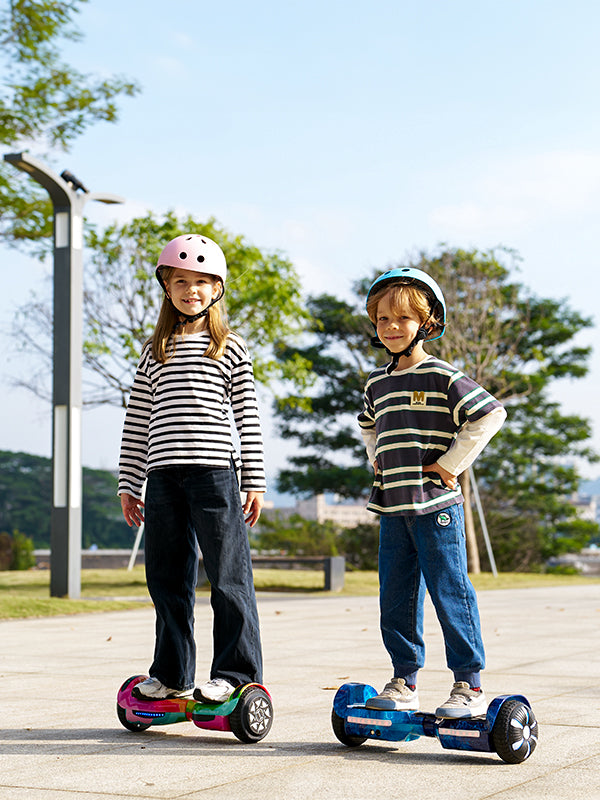
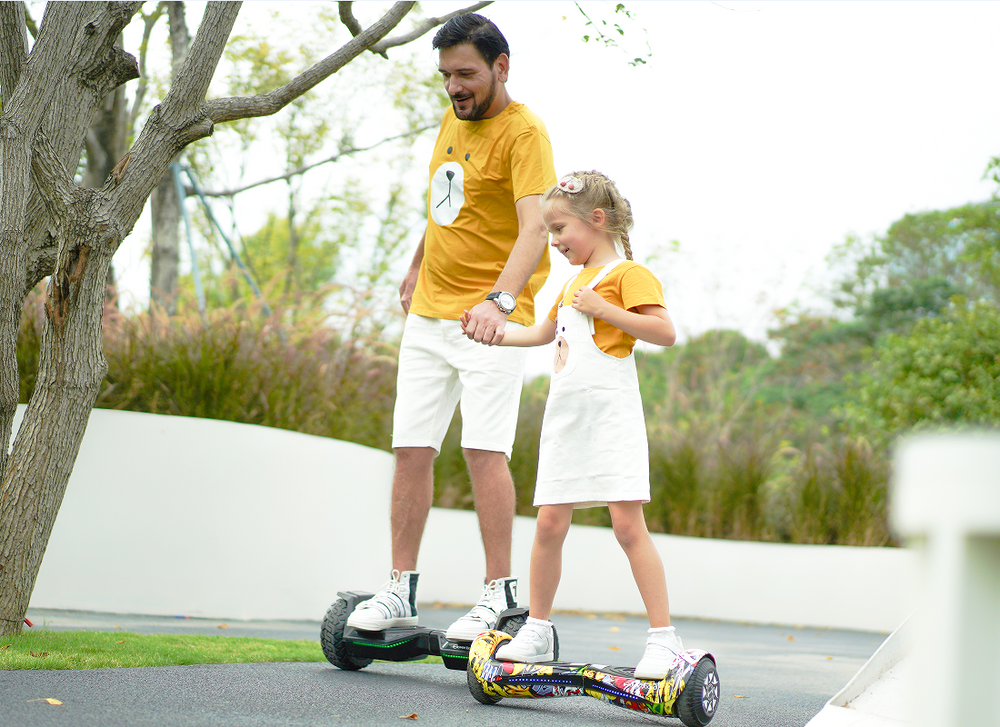
Hoverboards, also known as self-balancing scooters, have become one of the most exciting personal transport innovations in recent years. But how do hoverboards actually work? These sleek, motorized boards use advanced sensors, gyroscopes, and smart control systems to maintain perfect balance and smooth movement. Understanding the science behind hoverboards helps riders appreciate how technology keeps every ride stable, responsive, and fun.
How Does a Hoverboard Work?
Hoverboards may seem high-tech, but their operation is based on simple, smart engineering. A hoverboard uses a network of sensors, gyroscopes, and an intelligent control board to keep the rider balanced and stable at all times. Each wheel has its own electric motor, powered by a rechargeable lithium-ion battery, allowing smooth and precise movement in any direction.
When a rider steps on the board, the sensors beneath the footpads instantly detect weight distribution and body posture. This data is sent to the gyroscope and logic board, which calculate how much power each wheel needs to stay balanced or move. By leaning forward, the rider signals the motors to accelerate; leaning back slows or reverses motion. Turning is achieved by applying gentle pressure to one side, allowing for natural and intuitive steering.
The responsive technology in hoverboards ensures that even subtle shifts in balance are detected within milliseconds. This is what makes the ride feel effortless and stable, even for beginners. With practice, riders quickly gain confidence, enjoying the smooth and futuristic experience that iHoverboard’s self-balancing technology delivers.
-
Power Source: The Lithium-Ion Battery
-
The lithium-ion battery is the powerhouse of every hoverboard.
-
It supplies energy to all internal systems — including the sensors, gyroscopes, motors, and control board.
-
Once charged and powered on, it delivers consistent energy for smooth balance and responsive performance.
-
Balancing System: Gyroscopes and Smart Control Board
-
Gyroscopes and a logic board work together to maintain balance.
-
The gyroscopes detect even the smallest body tilt or movement when you step on the hoverboard.
-
The control board instantly processes this data and adjusts power to each wheel, keeping you upright and stable at all times.
-
Motors and Wheels: The Source of Motion
-
Each wheel has its own electric motor that controls speed and direction.
-
The logic board manages both motors independently for precise movement.
-
This allows the hoverboard to glide forward, reverse, spin, or turn smoothly based on how you shift your weight.
-
User Control: Footpads and Motion Sensors
-
Footpads contain sensitive sensors that respond to your body’s movements.
-
Lean forward to accelerate, lean back to slow down or stop, and apply pressure to one side to turn.
-
The system reacts instantly, making control feel natural and effortless.
How to Ride a Hoverboard: A Beginner’s Step-by-Step Guide
Riding a hoverboard for the first time can feel challenging, but understanding the basics makes learning fast and fun. The key is to start slowly, focus on balance, and get familiar with how your iHoverboard responds to subtle movements. Following these step-by-step instructions will help you build confidence and enjoy a smooth ride from the very beginning.
Step-by-Step Guide to Riding a Hoverboard
1. Choose a Safe Practice Area
-
Start on a flat, open surface away from traffic, obstacles, or uneven terrain.
-
Carpeted areas or smooth floors are ideal for beginners, as they reduce sudden slipping.
2. Wear Protective Gear
-
Always wear a helmet, wrist guards, elbow pads, and knee pads.
-
Safety gear protects you while you gain balance and confidence.
3. Power On and Check the Hoverboard
-
Make sure your iHoverboard is fully charged.
-
Turn it on and ensure the footpads and sensors are responsive.
4. Step On Carefully
-
Place your dominant foot on the hoverboard first, keeping it flat and steady.
-
Slowly place your other foot, keeping your knees slightly bent for stability.
5. Maintain Proper Posture
-
Keep your back straight and your body relaxed.
-
Avoid leaning too far forward or backward; subtle shifts control movement.
6. Start Moving Slowly
-
To move forward, gently lean forward.
-
Lean back slightly to slow down or reverse.
-
Turn by applying light pressure on one side of your footpad — left to go left, right to go right.
7. Practice Balancing and Turning
-
Begin with small movements, focusing on smooth weight shifts.
-
Gradually increase speed and practice gentle turns to build confidence.
8. Tips for a Smooth Ride
-
Keep your feet flat and evenly positioned on the footpads.
-
Avoid sudden or jerky movements until you feel comfortable.
-
Practice in short sessions to prevent fatigue and maintain focus.
With patience and consistent practice, riding a hoverboard becomes second nature. Mastering these steps ensures a safe, enjoyable, and confident experience every time you step on your iHoverboard.
Hoverboard Riding Mistakes to Avoid for Beginners
Even though hoverboards are designed for easy and intuitive riding, beginners often make common mistakes that can lead to falls or damage to the device. Being aware of these pitfalls helps you ride more confidently and safely. By avoiding these errors, you’ll get the most out of your iHoverboard while reducing the risk of accidents.
Common Hoverboard Mistakes Beginners Should Avoid
-
Leaning Too Far Forward or Backward
-
Excessive leaning can make the hoverboard respond too quickly, causing sudden falls.
-
Focus on small, controlled weight shifts to maintain balance.
-
Starting on Uneven or Slippery Surfaces
-
Grass, gravel, or wet floors can make controlling the hoverboard difficult.
-
Always practice on a flat, smooth, and open area.
-
Ignoring Protective Gear
-
Skipping helmets, knee pads, or wrist guards increases the risk of injury.
-
Protective gear is essential, especially when learning turns and stops.
-
Standing Too Far Forward or Back on the Footpads
-
Positioning your feet too close to the edges can affect sensor accuracy.
-
Keep both feet flat, evenly spaced, and centered on the footpads.
-
Making Sudden Movements
-
Quick or jerky motions can cause the hoverboard to tilt unexpectedly.
-
Smooth and gradual shifts of weight ensure better control.
-
Overlooking Battery and Device Checks
-
Riding with a low battery can reduce motor performance and response time.
-
Always check the battery level and power on the hoverboard before riding.
-
Rushing the Learning Process
-
Trying to ride fast or attempt complex turns too early can lead to falls.
-
Take your time, practice short sessions, and gradually build skill and confidence.
By avoiding these mistakes, beginners can enjoy a safe and smooth hoverboard experience. Practicing slowly, maintaining proper posture, and using your iHoverboard responsibly will help you master riding faster while minimizing risks.
Tips for Choosing the Perfect Hoverboard
Choosing the right hoverboard requires considering several important factors to ensure safety, comfort, and an enjoyable ride. By paying attention to the rider’s age, weight, experience level, battery life, and built-in features, you can select a hoverboard that suits your needs perfectly. These tips will help you make an informed choice when buying your iHoverboard.
Tips for Choosing the Perfect Hoverboard
-
Age & Weight Considerations
-
Check the manufacturer’s recommended age and weight limits before purchasing.
-
Most hoverboards are suitable for ages 8 and up, but balance and coordination are equally important.
-
Exceeding the weight limit can reduce performance and increase the risk of accidents.
-
-
Speed & Rider Skill
-
Beginners should select hoverboards with moderate top speeds (around 6–8 mph) for safe learning.
-
Experienced riders can explore faster models, particularly for larger open spaces.
-
Gradually advancing to higher speeds helps maintain control and confidence.
-
-
Battery Life & Performance
-
Look for a hoverboard that offers at least 45–60 minutes of riding per full charge.
-
Battery life can vary based on rider weight, terrain, and style of riding.
-
Always charge fully before each use and avoid leaving the hoverboard unattended while charging.
-
-
Features & Design Options
-
Modern hoverboards come with extras like LED lights, Bluetooth connectivity, and mobile app controls.
-
Choose features that enhance your ride without compromising safety or build quality.
-
Consider wheel size and tire type based on the surfaces you plan to ride on.
-
-
Safety Certifications & Build Quality
-
Avoid cutting corners with low-quality devices; safety should always be the top priority.
-
Sturdy construction and reliable components ensure long-lasting performance.
-
By evaluating these factors, you can confidently select an iHoverboard that delivers a safe, smooth, and enjoyable riding experience. Taking the time to choose the right model sets the foundation for fun, worry-free adventures on your hoverboard.
Explore the iHoverboard Range: Find the Perfect Hoverboard for Every Rider
iHoverboard offers a versatile range of hoverboards designed for riders of all ages and skill levels. Each model is engineered with dual motors, solid tires, LED lights, Bluetooth connectivity, and water-resistant features to ensure a smooth, stable, and exciting ride. From beginner-friendly boards to high-speed, long-range models, iHoverboards combine safety, durability, and style. Whether you’re cruising around the neighborhood, exploring outdoor paths, or pairing with a go-kart accessory, these hoverboards deliver consistent performance and endless fun.
H1 Hoverboard – Compact and Beginner-Friendly
The H1 Hoverboard is ideal for younger riders or beginners seeking a safe, easy-to-learn hoverboard experience. Its lightweight design and intuitive controls make practicing balance simple and enjoyable, while LED lights and Bluetooth add interactive fun. Perfect for indoor or short outdoor rides, the H1 is reliable, durable, and designed to help new riders build confidence.
Key Specs:
-
Price: £78.99
-
Max Speed: 6.8 MPH (11 km/h)
-
Max Range: 6.2 miles (10 km)
-
Motor: 320W dual motors (160W each)
-
Wheel Size: 6.5” solid tires
-
Features: LED wheels and lights, Bluetooth, water-resistant
-
Ideal Age: 3+
-
Max Rider Weight: 119 lbs (54 kg)
-
Charging Time: 5–6 hours
H2 Hoverboard – Smooth Ride with Go-Kart Compatibility
The H2 Hoverboard is built for riders seeking extra speed, longer range, and the option to add a go-kart attachment. With responsive dual motors, multiple riding modes, and durable solid tires, the H2 delivers a versatile and safe ride for beginners and intermediate users alike. Its LED lights and Bluetooth connectivity enhance the fun and interactive experience.
Key Specs:
-
Price: £104.99
-
Max Speed: 7.5 MPH (12 km/h)
-
Max Range: 7.5 miles (12 km)
-
Motor: 500W dual motors (250W each)
-
Wheel Size: 6.5” solid tires
-
Modes: Beginner, Skilled, Master
-
Features: LED wheels, front/rear leaf lights, Bluetooth, water-resistant
-
Ideal Age: 6+
-
Max Rider Weight: 200 lbs (100 kg)
-
Charging Time: 2–3 hours
H4 Hoverboard – Advanced Features and Comfort
The H4 Hoverboard provides a premium riding experience with powerful motors, stable solid tires, and LED lights on the deck and wheels. Equipped with a remote control and carry bag, this model is convenient and easy to transport. The H4 offers smooth acceleration, stable handling, and moderate top speeds, making it ideal for riders who want comfort, style, and performance in one hoverboard.
Key Specs:
-
Price: £105.99
-
Max Speed: 7.5 MPH (12 km/h)
-
Max Range: 7.5 miles (12 km)
-
Motor: 700W dual motors (350W each)
-
Wheel Size: 6.5” solid tires
-
Features: LED deck & wheels, Bluetooth, water-resistant
-
Extras: Remote control, carry bag
-
Ideal Age: 6+
-
Max Rider Weight: 200 lbs (100 kg)
-
Charging Time: 2–3 hours
H8 Hoverboard – High Performance and Long Range
The H8 Hoverboard is designed for adventurous riders who want top speed, extended range, and enhanced stability. Its large 8.5” solid tires, powerful dual motors, and multiple riding modes provide a smooth and responsive ride on various surfaces. LED lights, Bluetooth connectivity, and water-resistant features make the H8 safe, fun, and reliable for longer rides and outdoor adventures.
Key Specs:
-
Price: £148.99
-
Max Speed: 9 MPH (15 km/h)
-
Max Range: 12.4 miles (20 km)
-
Motor: 800W dual motors (400W each)
-
Wheel Size: 8.5” solid tires
-
Modes: Beginner, Skilled, Master
-
Features: LED wheels, front/rear leaf lights, Bluetooth, water-resistant
-
Extras: Remote control, carry bag
-
Ideal Age: 6+
-
Max Rider Weight: 200 lbs (100 kg)
-
Charging Time: 4–5 hours
Hoverboard Care and Maintenance: How to Keep It in Top Condition
Proper care and maintenance are essential to keep your iHoverboard running smoothly and extend its lifespan. Regular checks, cleaning, and safe storage ensure optimal performance while reducing the risk of malfunctions or damage. Follow these simple tips to keep your hoverboard in top condition.
Hoverboard Care and Maintenance Tips
-
Charge Safely
-
Always use the charger provided with your iHoverboard.
-
Avoid overcharging or leaving it plugged in overnight to protect the battery.
-
Keep It Clean
-
Wipe down the exterior with a soft, damp cloth to remove dust and dirt.
-
Avoid using harsh chemicals that could damage the shell or sensors.
-
Check Wheels and Motors
-
Inspect wheels regularly for wear or debris that could affect movement.
-
Ensure motors run smoothly and there are no unusual noises during operation.
-
Store Properly
-
Keep your hoverboard in a cool, dry place away from direct sunlight or moisture.
-
Avoid storing it in extremely hot or cold environments, which can damage the battery.
-
Perform Regular Inspections
-
Check footpads, sensors, and screws for proper function and tightness.
-
Address any issues promptly to prevent bigger problems later.
By following these simple care and maintenance steps, your iHoverboard will remain safe, reliable, and ready for smooth rides every time.
iHoverboard Models in Comparison
|
Specification |
||||
| Image |  |
 |
 |
 |
|
Price |
£78.99 |
£104.99 |
£105.99 |
£148.99 |
|
Max Speed |
6.8 MPH (11 km/h) |
7.5 mph (12 km/h) |
7.5 mph (12 km/h) |
9 mph (15 km/h) |
|
Max Range |
6.2 miles (10 km) |
7.5 miles (12 km) |
7.5 miles (12 km) |
12.4 miles (20 km) |
|
Motor |
320W (Dual 160W) |
500W (Dual 250W) |
700W (Dual 350W) |
800W (Dual 400W) |
|
Wheel Size |
6.5" |
6.5" |
6.5" |
8.5" |
|
Tires |
Solid tire |
Solid tire |
Solid tire |
Solid tire |
|
Lights |
LED wheels, marquee & leaf lights |
LED wheels, front/rear leaf lights |
LED deck & wheels |
LED wheels, front/rear leaf lights |
|
Bluetooth |
Yes |
Yes |
Yes |
Yes |
|
Water Resistant |
Yes |
Yes |
Yes |
Yes |
|
Go Karts |
No |
Yes |
Yes |
Yes |
|
Display |
Power Indicator |
Power Indicator |
Power Indicator |
Power Indicator |
|
Product Weight |
10.14 lbs (4.6kg) |
12.6 lbs (5.7kg) |
14.3 lbs (6.5kg) |
14.3 lbs (6.5kg) |
|
Max Rider Weight |
119 lbs (54kg) |
200 lbs (100kg) |
200 lbs (100kg) |
200 lbs (100kg) |
|
Product Dimensions (LxWxH) |
20.1"x7.1"x7.1" |
23.6"x7.3"x7.5" |
22.8"x7.5"x7.5" |
27.7"x8.3"x9.5" |
|
Applicable Age |
3+ |
6+ |
6+ |
6+ |
|
Battery Type |
Lithium 25.9V 2.6Ah |
Lithium 36V 2Ah |
Lithium 36V 2Ah |
Lithium 36V 4Ah |
|
Charging Time |
5-6h |
2-3h |
2-3h |
4-5h |
|
Working Temperature |
-15°C~50°C / 5F~122°F |
-15°C~50°C / 5F~122°F |
-15°C~50°C / 5F~122°F |
-15°C~50°C / 5F~122°F |
|
Charging Temperature |
0°C-40°C / 32F~104°F |
0°C-40°C / 32F~104°F |
0°C-40°C / 32F~104°F |
0°C-40°C / 32F~104°F |
|
Storage Time |
12 months |
12 months |
12 months |
12 months |
|
Storage Humidity |
5%~95% RH |
5%~95% RH |
5%~95% RH |
5%~95% RH |
|
Modes |
1 |
3 (Beginner/Skilled/Master) |
1 |
3 (Beginner/Skilled/Master) |
|
Warranty |
1 year |
1 year |
1 year |
1 year |
|
Package Included |
1 x H1 Hoverboard, Power Adapter, User Manual |
1 x H2 Hoverboard, Power Adapter, User Manual |
1 x H4 Hoverboard, Remote, Charger, Manual, Carry Bag |
1 x H8 Hoverboard, Remote, Charger, Manual, Carry Bag |
Conclusion
Understanding how hoverboards work and choosing the right model ensures a safe, fun, and exciting riding experience. From the beginner-friendly H1 to the high-performance H8, iHoverboard offers options for every rider, combining advanced technology, durability, and safety features. By following proper riding techniques, avoiding common mistakes, and maintaining your hoverboard regularly, you can enjoy smooth, stable, and long-lasting rides. Whether you’re a first-time rider or looking for more speed and range, iHoverboard delivers the perfect balance of performance, safety, and fun for everyone.





Still, need help? Contact Us: support@ihoverboard.com
What's the option? Check out the option now!
Leave us a message