


















![How to Turn On Electric Scooter Light [Easy Step-by-Step Guide]](http://www.ihoverboard.co.uk/cdn/shop/articles/ix5s_814a0e48-5999-414b-92a9-d6d8c865376a_{width}x.jpg?v=1771550934)
How to Turn On Electric Scooter Light [Easy Step-by-Step Guide]
How to Turn On Electric Scooter Light [Easy Step-by-Step Guide]
Riding your iHoverboard safely at night or in low-light conditions starts with knowing how to turn on electric scooter light. Properly functioning lights improve your visibility and alert others to your presence, reducing the risk of accidents. In this step-by-step guide, we’ll walk you through everything from powering on your scooter to adjusting brightness and testing your lights. By following these easy instructions, you can enjoy safer, more confident rides every time.
Understand Your iHoverboard Electric Scooter
Before you learn how to turn on electric scooter light, it’s essential to familiarize yourself with your iHoverboard model. Every iHoverboard scooter may have slightly different features and button placements, so understanding your device ensures you can safely and efficiently operate it.
Identify Your Scooter Model and Features
The first step is to know the exact iHoverboard model you own. Models may vary in light placement, type of switches, and additional features like brightness adjustment or separate front and rear light controls. Checking the model number, usually located on the frame or under the deck, helps you find the correct instructions in the manual.
Locate the Lights
Most iHoverboard scooters come equipped with:
-
Headlights: Bright front lights for clear visibility during night rides.
-
Taillights: Rear lights to alert others of your presence on the road.
Some models may also have indicator lights or customizable LED strips. Knowing the location of these lights makes it easier to operate them safely.
Understand the Light Controls
iHoverboard scooters typically use one of the following to control lights:
-
Dedicated light button: Press to toggle front and rear lights on or off.
-
Combined switch: A sliding or click switch that controls all lights simultaneously.
-
Smart controls via app: Some iHoverboard models allow you to adjust lights directly through a companion app, including brightness or flashing modes.
Check the Battery Level
Lights draw power from your scooter’s battery. Before learning how to turn on electric scooter light, ensure your iHoverboard battery is adequately charged. Low battery levels may reduce light brightness or prevent the lights from turning on altogether.
Read the User Manual
Finally, consult your iHoverboard’s user manual for specific instructions about your scooter’s lights. Even if you know the basic steps, the manual often contains tips on maintenance, safety warnings, and advanced settings for light operation.
By fully understanding your iHoverboard scooter and its light system, you’re taking the first step toward safe, confident rides during low-light conditions. Knowing exactly how your lights function ensures you can turn them on quickly whenever needed.
Power On Your Electric Scooter
Before you can learn how to turn on electric scooter light, your iHoverboard must be powered on and ready for operation. Turning on your scooter is a simple but crucial step to ensure all systems, including the lights, function properly.
Locate the Power Button
Most iHoverboard scooters have a clearly marked power button located on the handlebar or the base near the deck. On some models, it may be slightly recessed or require a firm press. Familiarizing yourself with this button is essential, as it controls the entire scooter, including the lighting system.
Turn On Your Scooter
To power on your iHoverboard:
-
Press and hold the power button for 2–3 seconds until the display lights up or you hear a startup beep.
-
Wait for the scooter to complete its system check. Many iHoverboard models have indicator lights or a small screen that shows battery levels and alerts.
-
Confirm that your scooter is fully operational before attempting to turn on the lights.
Check the Battery Level
Lights draw energy directly from the scooter’s battery. If your iHoverboard has a low battery, the headlights and taillights may not reach full brightness or may fail to turn on. Always check the battery indicator on your scooter before riding, especially during night rides.
Ensure the Scooter Is on a Flat Surface
For safety, make sure your iHoverboard is on a stable, flat surface while powering it on. This prevents accidental movement when the scooter becomes active and ensures you can safely toggle the lights without risk of tipping over.
Troubleshooting Power Issues
If your iHoverboard does not power on:
-
Confirm the battery is charged.
-
Check that the power button is being pressed correctly.
-
Ensure the scooter is not in a sleep or lock mode.
-
Refer to the iHoverboard manual for model-specific troubleshooting.
Once your iHoverboard is fully powered on, you’re ready to proceed to the next step and learn how to turn on electric scooter light. Properly powering your scooter first ensures that the lighting system works reliably for a safe, visible ride.
Locate and Activate the Light Switch
Once your iHoverboard electric scooter is powered on, the next essential step in learning how to turn on electric scooter light is locating and engaging the light switch. Proper use of the light switch ensures that both your headlights and taillights function correctly, keeping you safe and visible on the road.
Find the Light Switch on Your iHoverboard
The light switch location can vary slightly depending on your iHoverboard model, but it is usually:
-
On the handlebar: Often positioned near the throttle or control panel for easy access while riding.
-
On the scooter deck: Some models have a small button or switch integrated near the base of the scooter.
-
Through the iHoverboard app: Certain advanced models allow you to control lights digitally via a smartphone app.
Knowing the exact position of the light switch is crucial so you can activate the lights quickly, especially during low-light conditions.
Types of Light Switches
iHoverboard scooters typically feature one of the following:
-
Button Switch: A simple press toggles the front and rear lights on or off. Some models have separate buttons for the headlight and taillight.
-
Sliding Switch: Slide the switch to the “on” position to power both lights simultaneously.
-
App-Controlled Switch: Use the companion app to turn on, off, or customize the light settings for more advanced options.
How to Activate the Lights
-
Ensure the scooter is powered on and stable on a flat surface.
-
Press or slide the light switch to the “on” position. If your iHoverboard has separate buttons, press the button for the headlight first, then the taillight.
-
Observe the lights to ensure they turn on correctly. Both front and rear lights should illuminate for maximum visibility.
Troubleshooting Common Issues
If the lights do not turn on after activating the switch:
-
Check that the battery is sufficiently charged.
-
Ensure the scooter is fully powered on and not in sleep mode.
-
Verify that the light switch is functioning correctly — some switches may require a firm press or repeated press for activation.
-
Refer to the iHoverboard manual for model-specific instructions or troubleshooting tips.
By understanding where the light switch is and how to activate it, you can confidently ensure your iHoverboard’s lights are always ready for safe, visible rides. Learning this step is a key part of mastering how to turn on electric scooter light and improving your nighttime riding experience.
Adjust Light Brightness (If Available)
After you’ve learned how to turn on electric scooter light on your iHoverboard, you may want to adjust the brightness to suit your riding conditions. While not all iHoverboard models offer adjustable brightness, taking advantage of this feature can improve visibility, conserve battery power, and enhance overall safety during night rides.
Check if Your iHoverboard Supports Brightness Adjustment
Some iHoverboard scooters feature multiple brightness levels or customizable light modes. These settings may include:
-
Low, medium, and high brightness levels for the headlight.
-
Flashing or steady modes for the taillight to increase visibility.
-
App-controlled adjustments, allowing you to change brightness or patterns through your smartphone.
Refer to your iHoverboard manual or app to see if your model supports brightness customization.
How to Adjust the Brightness
-
Power on your scooter and activate the lights as explained in the previous sections.
-
Locate the brightness control, which may be:
-
A dedicated button on the handlebar or control panel.
-
A slider switch integrated with the light switch.
-
Settings in the iHoverboard app if your model supports digital control.
-
Toggle the brightness until you achieve the desired level. For urban rides with street lighting, lower brightness may be sufficient, while darker roads require maximum brightness for safety.
Benefits of Adjusting Light Brightness
-
Enhanced visibility: Properly bright headlights help you see obstacles and road conditions more clearly.
-
Improved safety: Adjusting taillight intensity ensures other road users notice you from a distance.
-
Battery efficiency: Using lower brightness when possible can help extend your scooter’s battery life.
Troubleshooting Brightness Issues
If your lights do not respond to brightness adjustments:
-
Verify your scooter’s battery is sufficiently charged.
-
Ensure the lights are fully activated before adjusting.
-
Check the manual or app settings for model-specific instructions.
-
Some models may require a restart of the scooter to apply brightness changes.
By mastering brightness adjustment, you not only learn how to turn on electric scooter light but also optimize it for safer, more comfortable rides at night or in low-light conditions.
Test Your Scooter Lights
After learning how to turn on electric scooter light and adjusting brightness if available, it’s crucial to test your iHoverboard’s lights before hitting the road. Testing ensures that both the headlights and taillights are functioning correctly, providing maximum visibility and safety during your rides.
Step 1: Visual Inspection
Once the lights are activated:
-
Walk around your iHoverboard and visually check the headlight and taillight.
-
Ensure that the lights are bright, steady, and free of flickering. Flickering lights may indicate a low battery, loose connection, or a malfunctioning light switch.
Step 2: Check Light Coverage
-
Headlight: Verify that it illuminates the path ahead clearly. The beam should be strong enough to help you spot obstacles, bumps, or debris on the road.
-
Taillight: Make sure the rear light is visible from a distance, alerting other road users to your presence. Proper rear visibility is crucial, especially during night rides or in low-light conditions.
Step 3: Test While Stationary
Before riding, test your lights while the scooter is stationary:
-
Engage both low and high brightness modes if your iHoverboard supports them.
-
Ensure the transition between modes is smooth and the lights respond immediately.
Step 4: Test During a Short Ride
For the most accurate test:
-
Take your iHoverboard on a short, safe ride in a dimly lit area.
-
Check that the lights remain stable and continue to illuminate the path ahead.
-
Observe how the lights appear to others — headlights should point straight, and taillights should be clearly visible from behind.
Troubleshooting Common Issues
If your lights do not pass the test:
-
Low battery: Recharge your iHoverboard and test again.
-
Loose connections: Check the wiring near the light switch or under the scooter deck.
-
Faulty switch or bulb: Refer to the iHoverboard manual for guidance on replacing or repairing the light components.
Regularly testing your lights is an essential part of iHoverboard maintenance. By ensuring your lights function properly, you are taking a key step toward safer riding and becoming fully confident in how to turn on electric scooter light.
Ride Safely with Your Lights On
After you’ve learned how to turn on electric scooter light, tested your lights, and adjusted brightness if available, the next step is to ride safely. Proper use of your iHoverboard’s lights is not just about seeing — it’s about being seen by others on the road. Safe riding practices help prevent accidents and ensure an enjoyable experience, especially during low-light conditions.
Always Keep Your Lights On During Low-Light Conditions
Even if the area seems somewhat illuminated, keeping your iHoverboard’s headlights and taillights on increases your visibility to pedestrians, cyclists, and vehicles. Your lights are a crucial safety feature that allows others to anticipate your movements and position on the road.
Position Yourself Correctly on the Road
-
Stay in well-lit areas when possible.
-
Keep a safe distance from vehicles and other road users.
-
Ensure that your headlights are angled slightly downward to illuminate the path ahead without blinding oncoming traffic.
Use Lights to Communicate Intentions
Your iHoverboard lights are not only for visibility — they also help communicate your movements:
-
Headlights: Indicate your forward direction.
-
Taillights: Alert those behind you to your presence.
-
Flashing or bright modes (if available) can be used in emergencies or to grab attention when necessary.
Maintain Your Lights Regularly
To keep your iHoverboard lights effective:
-
Check lights before every ride to ensure they are working properly.
-
Clean lenses regularly to remove dirt, dust, or debris that may reduce brightness.
-
Inspect wiring and switches periodically to avoid loose connections or malfunctioning components.
Follow General Safety Rules
Even with lights on, always follow traffic laws and safety guidelines:
-
Wear a helmet and other protective gear.
-
Avoid riding on unsafe or poorly maintained surfaces.
-
Be aware of your surroundings and anticipate obstacles or hazards.
By combining proper light usage with safe riding habits, you maximize the benefits of your iHoverboard’s lighting system. Mastering how to turn on electric scooter light is only the first step — using the lights responsibly ensures you are fully visible, safe, and ready for any night or low-light ride.
Conclusion
Learning how to turn on electric scooter light is an essential step for anyone riding an iHoverboard, especially during night rides or in low-light conditions. Properly functioning lights not only help you see the road ahead but also make you visible to others, significantly reducing the risk of accidents.
By familiarizing yourself with your iHoverboard’s features, powering it on correctly, locating and activating the light switch, adjusting brightness when available, and testing your lights before every ride, you ensure a safer and more enjoyable riding experience. Combining these steps with responsible riding habits, such as staying aware of your surroundings and following traffic rules, maximizes your safety on every journey.
With your iHoverboard lights properly turned on and maintained, you can confidently ride through the evening or night, knowing that you are fully visible and prepared for any conditions. Take the time to practice these steps, and your iHoverboard rides will be safer, more enjoyable, and worry-free.
FAQs
How do I turn on the electric scooter headlight?
To turn on the headlight on your iHoverboard electric scooter, first make sure the scooter is powered on by pressing and holding the power button for 2–3 seconds. Then locate the light switch, usually on the handlebar or deck. Press the headlight button or toggle the switch to the “on” position, and check that the headlight illuminates the path ahead. If your model allows brightness adjustment, set it to your preferred level.
How to turn the light on a Decent electric scooter?
For a Decent or similar iHoverboard-style scooter, the process is similar. After powering on the scooter, locate the light switch or button on the handlebar or control panel. Press or toggle the switch to activate both the front and rear lights, and make sure they are functioning properly before starting your ride.
How do I turn on the light on my electric bike?
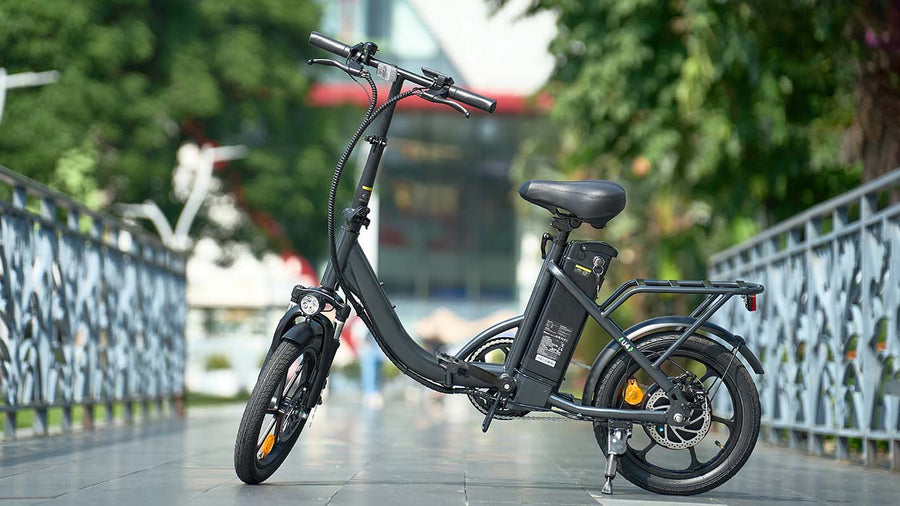
For electric bikes, including iHoverboard e-bikes with built-in lights, first ensure the bike is powered on. Find the light control, which may be a button on the handlebar or integrated into the display panel. Press the button to turn on the headlights and taillights. Some models allow you to select different modes, such as high, low, or flashing.
Why are my scooter lights not working?
If your iHoverboard lights are not working, common causes include a low battery, a stuck or faulty light switch, loose wiring or connections, or a burnt-out bulb or LED. Always check the battery level first, then inspect the switch and wiring. If the issue persists, refer to your iHoverboard manual for model-specific troubleshooting guidance.





Still, need help? Contact Us: support@ihoverboard.com
What's the option? Check out the option now!
Leave us a message